

The best marketing project management software depends on the complexity of the work your team needs to manage. Asana is best for small and growing teams that need straightforward campaign and task management. monday.com is best for flexible visual workflows. Simple Admation is best for mid-sized and enterprise marketing teams that need one connected platform for marketing projects, creative workflow, resource management, online proofing, approvals and audit-ready marketing compliance. Teamwork suits agencies and client-facing marketing teams, Smartsheet suits spreadsheet-oriented planners, and Adobe Workfront and Aprimo are suited to large enterprises managing complex campaign planning and marketing operations at scale
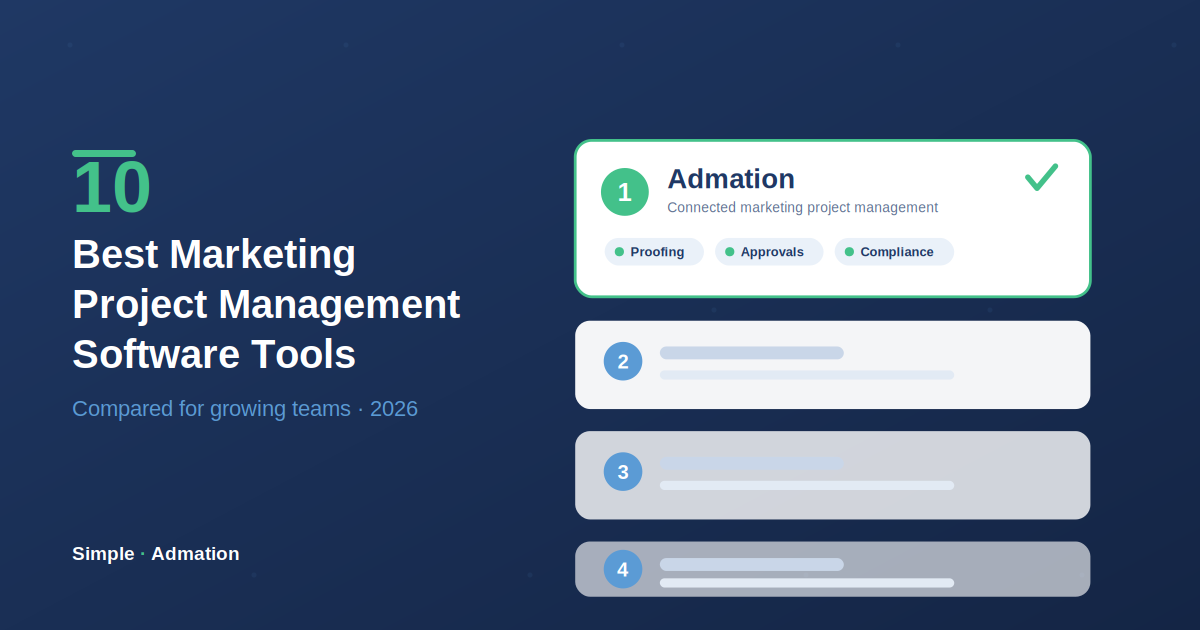
Best marketing project management software by use case
- Best for connected creative workflows and audit-ready marketing approvals: Admation
- Best for straightforward campaign and task management: Asana
- Best for flexible visual workflows: monday.com
- Best for complex enterprise campaign planning: Adobe Workfront
- Best for enterprise marketing operations: Aprimo
- Best for highly configurable work management at scale: Wrike
- Best for broad functionality in one platform: ClickUp
- Best for agencies and client-facing marketing teams: Teamwork
- Best for spreadsheet-oriented planning and resourcing: Smartsheet
- Best for simple content and campaign tracking: Trello
There is no single best marketing project management tool for every team.
A five-person marketing team managing a content calendar does not need the same software as a 30-person team coordinating hundreds of creative deliverables. A global enterprise managing campaigns across multiple markets has different requirements again.
This guide compares ten leading marketing project management software tools based on the problems they are best equipped to solve, including:
- marketing project and campaign planning
- project intake and briefs
- creative workflow management
- resource and workload visibility
- native online proofing
- marketing approvals
- marketing compliance and governance
- scalability as teams and project volumes grow
The aim is not to identify a universal winner. It is to help marketing operations leaders and marketing managers find the right platform for the way their team works today — and the complexity they expect to manage in the future.
Marketing project management software comparison
| Software | Best for | Team fit | Native resource management | Native online proofing | Structured approvals | Audit-ready marketing compliance |
|---|---|---|---|---|---|---|
| Admation | Connected creative workflows and audit-ready approvals | Mid-sized to enterprise | Yes | Yes — specialist proofing | Yes | Strong |
| Asana | Straightforward campaign and task management | Small to mid-sized | Yes | Limited | Moderate | Moderate |
| monday.com | Flexible visual workflows | Small to mid-sized | Yes | File annotation and collaboration | Moderate | Moderate |
| Adobe Workfront | Complex enterprise campaign planning | Enterprise | Yes | Yes — specialist proofing | Yes | Strong |
| Aprimo | Enterprise marketing operations | Enterprise | Yes | Yes | Yes | Strong |
| Wrike | Configurable work management at scale | Mid-sized to enterprise | Yes | Yes, depending on plan and add-ons | Yes | Strong |
| ClickUp | Broad functionality and customisation | Small to mid-sized | Yes | File annotation and proofing | Moderate | Moderate |
| Teamwork | Agencies and client-facing marketing teams | Small to mid-sized | Yes | File feedback; depth varies by plan | Moderate | Moderate |
| Smartsheet | Spreadsheet-oriented planning and resourcing | Mid-sized to enterprise | Yes | Yes — proofing feature | Yes | Moderate |
| Trello | Simple content and campaign tracking | Small | No | No | Limited | Limited |
One platform or a connected stack?
Many marketing project management tools can support a creative workflow.
But buyers should look closely at how that workflow is delivered.
There is an important difference between:
- project management software with native resource management and specialist online proofing
- project management software with basic file comments or annotations
- platforms that require higher-tier plans or add-ons
- systems that rely on integrations with separate proofing or resource management tools
This distinction matters because marketing work does not move neatly from one isolated stage to another.
A creative project may start with a brief, move into project planning and resource allocation, then pass through several rounds of creative review before final approval.
When these stages are managed in separate tools, teams may need to:
- transfer files or project data between systems
- maintain integrations or APIs
- manage user access across multiple platforms
- reconcile different project and approval statuses
- search across systems for feedback and decisions
- maintain a complete record of the project across different data sources
A connected platform keeps more of this workflow together. The brief, project, tasks, assigned resources, creative versions, reviewer feedback and approval decisions remain part of the same marketing workflow — the full argument is in the case for integrated marketing project management software.
This is one of Admation's key strengths. It brings marketing project management, resource management, online proofing, version control and marketing approvals together in one solution. Teams do not need to move project data and creative work between separate systems or rely on APIs to connect the core workflow.
1. Admation: Best for connected creative workflows and audit-ready marketing approvals
Best for: Mid-sized and enterprise marketing teams that need one connected platform to manage marketing projects, creative workflow, resource management, online proofing, approvals and compliance.
Simple Admation is purpose-built marketing project management software.
Unlike general project management platforms that start with tasks and boards, Admation is designed around the complete lifecycle of marketing and creative work.
Teams can manage work from the initial request and brief through to project planning, creative production, review, revisions, formal approval and final asset storage.
A typical Admation workflow can be managed as:
request → brief → project → deliverables → resources and tasks → creative review → revisions → approval → final asset
The project information, creative versions, reviewer feedback and approval history remain connected.
Key strengths
Structured project intake and briefs
Customisable online briefs help teams collect the right information before work begins.
Different templates can be created for different project types, important information can be made mandatory and briefs can move through approval before production starts.
This helps reduce incomplete requests and unnecessary clarification once work is underway.
Marketing project management
Teams can manage multiple projects, deliverables, milestones, tasks and deadlines from a central platform.
Marketing managers can see the status of work across the project portfolio rather than relying on individual task updates.
Native resource and workload management
Admation includes resource management as part of the same marketing workflow.
Managers can see current workloads, upcoming work and team capacity. This is particularly important for growing in-house creative teams where the same designers, copywriters and specialists are supporting multiple campaigns.
Because resource management is native to the platform, teams do not need to connect a separate resource planning tool to understand who is available, who is overloaded and where work needs to be reassigned.
Native online proofing and version control
Admation includes specialist online proofing and version control.
Reviewers can comment and annotate directly on creative work. The platform supports:
- image and document proofing
- video proofing
- annotations and comments
- version history
- side-by-side version comparison
- revision reporting
This reduces the need to manage feedback through email, meetings and separate documents.
Because proofing is connected to the wider marketing approval workflow, the project, creative versions, reviewer feedback and approval decisions remain together.
Structured marketing approvals
Admation supports more than a simple approve or reject button.
Teams can configure:
- approval templates
- tiered approvals
- approval deadlines
- automated reminders
- external approvals
- approval delegation
- role-based approval checklists
- batch approvals
- formal approval decisions
This is a key difference for teams managing high volumes of marketing content or complex stakeholder groups.
A well-structured workflow can also help teams reduce bottlenecks and unnecessary revision cycles. For more detail, see our complete guide to marketing approval workflow best practices.
Marketing compliance and audit-ready records
Admation keeps the project, creative versions, feedback, approval decisions and audit history connected.
For organisations with formal marketing compliance requirements, this creates a clear record of how content was reviewed and approved.
Teams can also use structured approval workflows and role-based checklists to make sure the right people complete the right checks before marketing content goes live.
These controls support more consistent marketing compliance practices and reduce reliance on individual reviewers remembering every requirement.
This is particularly valuable for regulated industries such as financial services, insurance, healthcare and other sectors where marketing compliance evidence matters.
Where Admation fits in the market
Admation sits between two common categories of software.
It provides more marketing-specific workflow, proofing and approval capability than general task and project management tools.
At the same time, it is more focused than broad enterprise marketing operations platforms designed to manage large global marketing ecosystems.
This makes it particularly well suited to:
- growing mid-sized marketing teams
- enterprise marketing departments
- in-house creative teams
- regulated marketing teams
- agencies managing complex creative workflows
- teams replacing disconnected project management and approval tools
If approval workflow specifically is the core of your evaluation, we compare that category separately in the best marketing approval workflow software guide.
Limitations to consider
Admation is specialised software, designed specifically for marketing and creative teams and the projects they manage.
It is not designed to be a general work management platform for every department in an organisation. Teams looking for one tool to manage software development, HR, finance and general business tasks may prefer a broader platform.
Bottom line
Choose Admation when your challenge has moved beyond tracking tasks and you need to manage the complete marketing and creative workflow in one platform.
Admation brings project management, resource management, creative workflow, online proofing, version control and structured marketing approvals together in one connected system. Teams do not need to move project data and creative work between separate project management, resource planning and proofing tools or rely on APIs to connect the core workflow.
For organisations with marketing compliance requirements, Admation keeps the project, creative versions, feedback, approval decisions and audit history connected. This creates a clear, audit-ready record of how marketing content was reviewed and approved — see the full marketing project management solution.
2. Asana: Best for straightforward campaign and task management
Best for: Small and growing marketing teams that want an accessible way to manage campaigns, tasks and deadlines.
Asana is one of the most widely used general project management platforms.
Its main strength is ease of adoption. Teams can organise work, assign responsibilities and track deadlines without a complex implementation.
Key strengths
- intuitive project and task management
- list, board, calendar and timeline views
- marketing templates
- request forms
- workflow automation
- portfolio visibility
- native workload and resource management
- broad integration options
Asana works particularly well when the main challenge is improving visibility and accountability across marketing work.
Native proofing and resource management
Asana includes native workload and resource management capability.
However, its proofing capability is more limited than specialist online proofing platforms. Teams can collaborate on work, attach files and manage approvals, but teams with complex creative review, version comparison and formal approval requirements may need additional tools or a more specialised platform.
Bottom line
Choose Asana when ease of use and straightforward campaign coordination are more important than advanced creative workflow, proofing and approval governance.
3. monday.com: Best for flexible visual marketing workflows
Best for: Small and mid-sized teams that want to build highly visual and customisable marketing workflows.
monday.com is a flexible work management platform based around configurable boards, views and automations.
Its visual approach makes it easy to see campaign status and adapt the platform to different types of work.
Key strengths
- visual campaign boards
- multiple project views
- custom fields and statuses
- forms
- automations
- dashboards
- native workload and resource management
- file annotation and collaboration
- broad integrations
Native proofing and resource management
monday.com includes workload management and file annotation features.
This can support basic creative feedback and collaboration, but file annotation is not the same as a specialist online proofing environment with deeper version comparison, structured reviewer decisions and approval governance.
Bottom line
Choose monday.com when visual flexibility and workflow customisation are the priority.
4. Adobe Workfront: Best for complex enterprise campaign planning
Best for: Large enterprises managing complex campaign portfolios across multiple teams, departments and markets.
Adobe Workfront is an enterprise work management platform designed to coordinate complex work at scale.
For organisations asking, "Which marketing project management software supports complex enterprise campaign planning?", Workfront is one of the strongest options to evaluate.
Key strengths
- enterprise campaign planning
- portfolio management
- complex workflow configuration
- resource management
- native proofing and approvals
- executive reporting
- integration with the Adobe ecosystem
Native proofing and resource management
Adobe Workfront has native proofing and resource management.
It is a genuine enterprise option for teams that need project management, resourcing, proofing and approvals within one environment.
The main evaluation point is not whether Workfront has these capabilities. It is whether the team needs this level of enterprise platform complexity, implementation effort and administration.
Bottom line
Choose Adobe Workfront when enterprise scale and complex campaign orchestration justify a more substantial implementation and administration model.
5. Aprimo: Best for enterprise marketing operations
Best for: Large enterprises that need to manage marketing planning, operations, content and governance at scale.
Aprimo extends beyond project management into broader marketing operations.
It is designed for organisations coordinating significant marketing activity across teams, markets and content ecosystems.
Key strengths
- marketing planning
- campaign operations
- resource management
- content operations
- workflow management
- native approvals
- governance
Native proofing and resource management
Aprimo includes broad enterprise marketing resource management and workflow capability.
It is best assessed as an enterprise marketing operations platform rather than a narrower project management tool.
Bottom line
Choose Aprimo when the challenge is broader enterprise marketing operations rather than project management alone.
6. Wrike: Best for highly configurable work management at scale
Best for: Mid-sized and enterprise teams that want configurable workflows, resource management and creative proofing.
Wrike has a strong position in marketing and creative operations.
It combines project management with resource planning, workflow configuration and proofing.
Key strengths
- configurable workflows
- request forms
- workload management
- resource planning
- creative proofing
- approvals
- portfolio reporting
Native proofing and resource management
Wrike includes native resource management and proofing capabilities.
However, buyers should check plan packaging carefully. Some approval and proofing capabilities may depend on specific plans or add-ons.
Bottom line
Choose Wrike when you need strong resource and creative workflow capabilities and are comfortable with a highly configurable platform.
7. ClickUp: Best for broad functionality in one platform
Best for: Growing teams that want a wide range of project, collaboration and productivity features in one system.
ClickUp combines tasks, documents, dashboards, goals, time tracking and workflow automation.
Its breadth is its main strength.
Key strengths
- broad feature set
- multiple work views
- custom workflows
- documents
- dashboards
- time tracking
- forms
- automation
- workload views
- file proofing and annotation
Native proofing and resource management
ClickUp includes workload views and file proofing capabilities.
This makes it stronger than a simple task management tool, but teams should assess whether the proofing and approval depth is sufficient for complex creative workflows or regulated marketing compliance.
Bottom line
Choose ClickUp when feature breadth and customisation are more important than specialist marketing workflow structure.
8. Teamwork: Best for agencies and client-facing marketing teams
Best for: Agencies and marketing teams running client work, retainers and billable projects.
Teamwork is a project management platform built with client services in mind.
Where most tools in this list assume the team's stakeholders are internal, Teamwork is structured around delivering work to clients — with time tracking, billing and client access built into the workflow.
Key strengths
- client-facing project delivery
- time tracking and billable hours
- retainer and budget management
- client access and permissions
- workload management
- templates and automations
- project profitability reporting
Native proofing and resource management
Teamwork includes workload and resource management, and supports file feedback within projects. Teams with heavier creative review requirements — version comparison, structured reviewer decisions, formal approval records — should assess whether its review depth fits, as capability varies by plan.
Bottom line
Choose Teamwork when client work is the organising principle — billable hours, retainers and client visibility — and the creative review workflow is relatively contained.
9. Smartsheet: Best for spreadsheet-oriented planning and resourcing
Best for: Teams comfortable in spreadsheets that need structured planning, resource allocation and operational tracking.
Smartsheet takes a familiar grid interface and adds project management structure on top — automations, dashboards, forms and resourcing.
For marketing teams that already run their world in spreadsheets, it offers a lower-friction step up than adopting a board-based tool.
Key strengths
- spreadsheet-style grid with project views
- resource management and allocation
- automated workflows and alerts
- approval requests
- proofing feature for creative review
- dashboards and reporting
- forms for intake
Native proofing and resource management
Smartsheet includes native resource management and a proofing feature supporting markup and approvals on creative files. Teams with complex multi-stage approval governance or regulated compliance requirements should assess whether its approval depth and audit records meet their evidence standards.
Bottom line
Choose Smartsheet when your team thinks in rows and columns and needs structured resourcing and tracking — and the approval workflow is moderate rather than governance-heavy.
10. Trello: Best for simple content and campaign tracking
Best for: Small teams managing simple content calendars and lightweight marketing workflows.
Trello uses a straightforward Kanban board structure.
It is easy to understand and quick to implement.
Key strengths
- simple visual boards
- low learning curve
- easy task tracking
- accessible entry point
- useful for content calendars
Native proofing and resource management
Trello does not provide native specialist online proofing or resource management.
Teams that need these capabilities usually rely on Power-Ups, integrations or separate tools.
Bottom line
Choose Trello when simplicity is the priority and the marketing workflow is relatively straightforward.
Which marketing project management software is best for your team?
Best for small marketing teams
Consider Trello or Asana. These tools make it easy to organise tasks, deadlines and straightforward campaigns.
Best for growing mid-sized marketing teams
Consider Admation, Asana, monday.com, Wrike or Smartsheet.
Choose:
- Asana for straightforward project coordination.
- monday.com for flexible visual workflows.
- Wrike for configurable work management and resourcing.
- Smartsheet for spreadsheet-style planning and resource allocation.
- Admation when project growth is creating more complex creative workflows, revisions, approvals, compliance requirements and audit-ready records.
Teams whose complexity centres on creative production specifically should also read our guide to creative project management.
Best for agencies and client-facing teams
Consider Teamwork for billable client delivery, or Admation for agencies whose complexity sits in creative review and multi-stakeholder approvals rather than billing.
Best for enterprise marketing teams
Consider Admation, Adobe Workfront, Aprimo or Wrike.
Choose:
- Admation for connected marketing projects, creative workflows, resource management, approvals and marketing compliance.
- Adobe Workfront for complex enterprise campaign planning.
- Aprimo for broad enterprise marketing operations.
- Wrike for highly configurable work and resource management.
Best for marketing approvals
Consider Admation, Adobe Workfront or Wrike.
Admation is particularly relevant when approvals need to remain connected to the project, creative versions, reviewer feedback and compliance history.
Best for regulated marketing teams
Consider Admation.
Regulated teams should look beyond whether a platform has an approval button. They should assess:
- structured approval routing
- role-based approval checks
- version history
- approval decisions
- audit trails
- records of what was approved
- visibility of approved content in market
Best for complex enterprise campaign planning
Consider Adobe Workfront or Aprimo. These platforms are designed for large organisations managing significant marketing complexity across departments and markets.
The key difference: task management versus marketing workflow management
Most marketing teams start with a simple problem: we need a better way to track tasks and deadlines.
As the team grows, the problem changes. The team is no longer managing only tasks. It is managing a growing volume of project requests, multiple campaigns at the same time, dozens or hundreds of creative deliverables, internal and external creative resources, competing priorities, multiple rounds of feedback, different versions of creative work, brand, legal and compliance reviews, internal and external approvers, and final approved assets.
A task may show that a brochure is "in review", but the marketing team may still need to know: Which version is being reviewed? Who has provided feedback? Has everyone finished reviewing? Are comments conflicting? Has legal approved the content? Where is the final approved version?
The problem is no longer task management. It is marketing workflow management.
| Stage | Primary need | Typical software requirement |
|---|---|---|
| Small team | Know who is doing what | Task management |
| Growing team | Coordinate campaigns and deadlines | Project management |
| Mid-sized marketing team | Manage requests, projects, resources and creative production | Marketing project management software |
| Complex marketing team | Manage revisions, stakeholders and approvals | Creative workflow and marketing approval software |
| Regulated marketing team | Demonstrate correct review and approval | Marketing compliance and audit-ready approval records |
| Global enterprise | Coordinate large portfolios across teams and markets | Enterprise marketing operations |
This progression explains why mid-sized teams outgrow basic marketing project management software. The software has not necessarily stopped working — the nature of the work has changed. It's also why development-oriented tools struggle in marketing contexts, covered in why Jira isn't built for marketing teams.
How to choose marketing project management software
Before comparing software, map the way work moves through your marketing team.
Ask:
- How does new work enter the team?
- How are projects prioritised?
- How are briefs created and approved?
- How are resources assigned?
- How many projects and deliverables run at the same time?
- Where is creative work reviewed?
- How are revisions and versions managed?
- Who needs to approve marketing content?
- Are legal or compliance reviews required?
- What approval evidence needs to be retained?
- Where are final approved assets stored?
- What visibility do managers need across all work?
The answers will show whether you need simple task management, marketing project management software, creative workflow software, marketing approval software, resource management, enterprise marketing operations software or marketing compliance software.
The best platform is the one that solves the problems your team actually has without adding unnecessary complexity. And if you're replacing an existing tool rather than buying your first, our guide on when to switch marketing project management software covers how to run the transition.
Final verdict
There is no single best marketing project management platform for every organisation.
- For small teams: Trello and Asana provide accessible task and campaign management.
- For growing teams that value flexibility: monday.com and ClickUp provide broad customisation.
- For agencies and client work: Teamwork structures delivery around billable projects.
- For spreadsheet-oriented teams: Smartsheet adds structure to a familiar interface.
- For mid-sized and enterprise marketing teams managing complex creative work: Admation connects project management, resource management, online proofing, approvals and marketing compliance in one platform.
- For highly configurable work management: Wrike provides significant depth.
- For large-scale enterprise campaign planning and marketing operations: Adobe Workfront and Aprimo are designed for the greatest organisational complexity.
The right choice depends on where the complexity sits.
If the problem is simply knowing who is doing what, a general project management tool may be enough.
If the problem is managing how marketing work moves from brief to production, review, approval and compliance sign-off, the team needs more than task management. That is the point where purpose-built marketing project management software becomes essential — for the full method, see the complete guide to marketing project management software.
See the Connected Workflow in Action
See how Admation runs the full workflow — brief, production, proofing, approval, compliance — configured to your team's process. Book a Demo
Frequently asked questions
What is the best marketing project management software?
The best marketing project management software depends on team size and workflow complexity. Asana is a strong option for straightforward campaign and task management. monday.com suits teams that want flexible visual workflows. Simple Admation is designed for mid-sized and enterprise marketing teams that need to connect project management with creative workflows, resource planning, online proofing, approvals and marketing compliance. Adobe Workfront and Aprimo are suited to more complex enterprise marketing operations.
What are good marketing project management software options for mid-sized teams?
Good marketing project management software options for mid-sized teams include Admation, Asana, monday.com, Wrike and Smartsheet. Asana is well suited to straightforward project coordination, monday.com to visual workflow customisation, Wrike to configurable work management and Smartsheet to spreadsheet-style planning. Admation is particularly relevant when growing project volumes create more complex creative workflows, resource planning, revisions, approvals and compliance requirements.
Which marketing project management software supports complex enterprise campaign planning?
Adobe Workfront and Aprimo are strong options for complex enterprise campaign planning. Adobe Workfront supports large campaign portfolios, resource management and configurable workflows. Aprimo extends further into enterprise marketing operations and planning. Admation is another option for enterprise marketing departments that need to manage complex projects, creative production, resources and formal approvals within one connected marketing workflow.
What is the difference between project management and marketing workflow management?
Project management focuses on planning work, assigning responsibilities and tracking deadlines. Marketing workflow management covers the wider process through which marketing work is requested, briefed, created, reviewed, revised, approved and completed. More complex marketing teams often need both.
Which marketing project management software is best for approvals?
Admation, Adobe Workfront and Wrike all support marketing approval workflows. Admation is purpose-built to connect approvals with projects, creative versions, feedback and audit history, making it particularly relevant for approval-heavy and regulated marketing teams.
Does marketing project management software help with compliance?
Some platforms do. Marketing teams with compliance requirements should look for structured approval workflows, role-based checks, version history, approval records and audit trails. These features provide stronger governance than a simple task completion or approval status.
Why does native online proofing matter?
Native online proofing helps teams review creative work without moving files and feedback into a separate system. This keeps comments, versions, approval decisions and project history connected. It can also reduce confusion about which version was reviewed or approved.
Why does native resource management matter?
Native resource management helps marketing managers see workload and capacity without relying on separate spreadsheets or external planning tools. This is important for teams managing multiple campaigns, shared creative resources and competing deadlines.


